Multi-step trial booking form
The problem
Parents usually land on a "Book a free trial" page from an ad or a search result, often on a phone. A long single-page form loses many of them. They need to:
- pick the right age group,
- pick a trial session that still has space,
- enter their child's and their own details,
- pay, if the trial isn't free,
and then end up as a client you can follow up with and turn into a regular booking.
What you'd have to build yourself
- Age-group catalogue with live capacity per session, so you never sell a place that doesn't exist.
- Trial rules: which classes offer trials, how many trial sessions per child, and the trial price.
- Step navigation that remembers what the parent already filled in.
- Duplicate detection for parents who already have an account.
- Payment for paid trials, confirmation emails, and handing the trial over to your follow-up process.
The Zooza registration widget already does all of this. The page below is configuration only.
How it looks
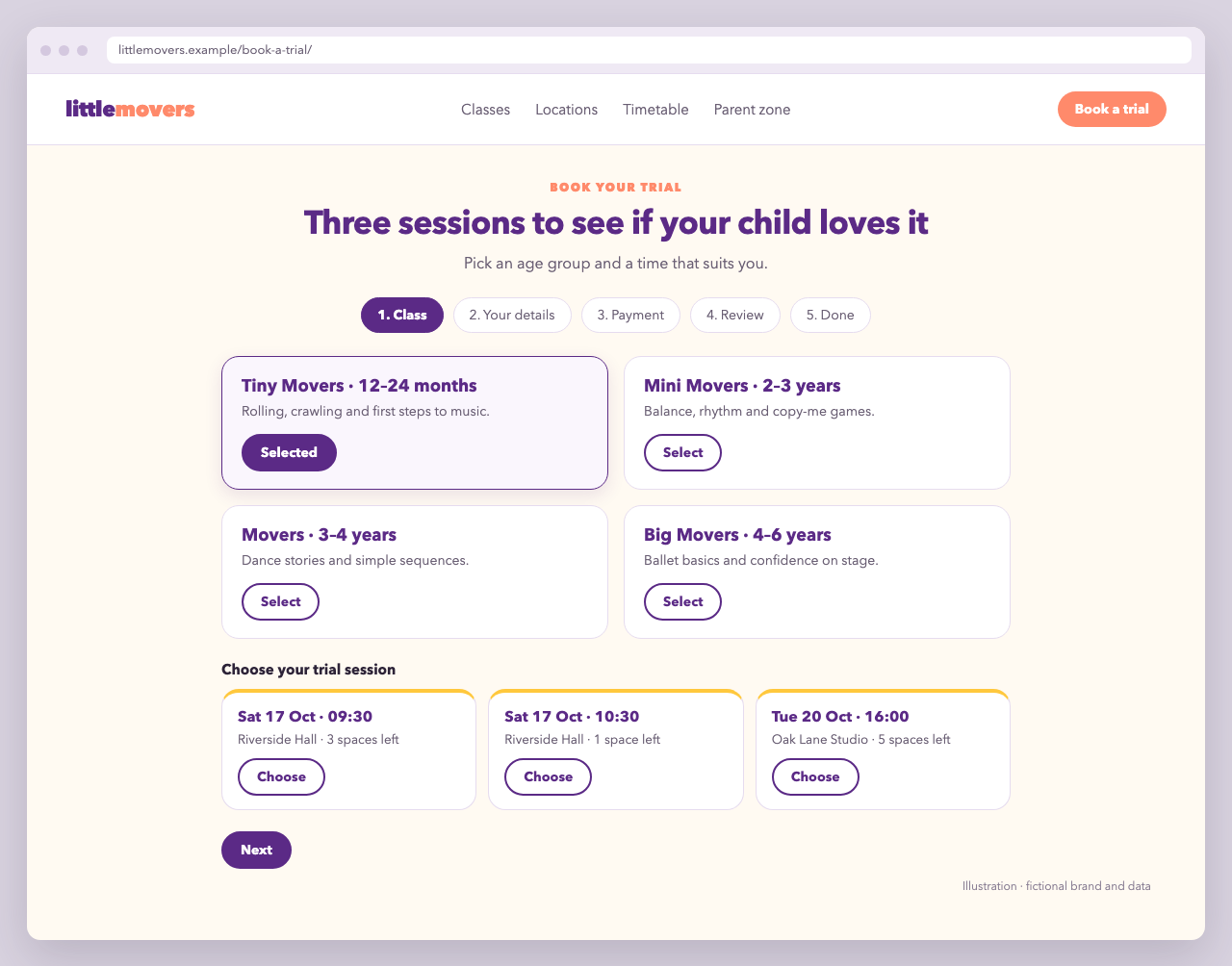
Little Movers' "Book your trial" page shows four step tabs: 1. Class → 2. Your details → 3. Payment → 4. Review → 5. Done. The first step shows the age groups as tiles in two columns:
| Tiny Movers · 12–24 months | Mini Movers · 2–3 years |
|---|---|
| Movers · 3–4 years | Big Movers · 4–6 years |
After a parent selects an age group, the available trial sessions for it appear below. Every tile stays visible, so the parent can still switch groups.
The code
<section class="trial-booking">
  <p class="trial-booking__eyebrow">Book your trial</p>
  <h1>Three sessions to see if your child loves it</h1>
  <p>Pick an age group and a time that suits you.</p>

  <div data-zooza-widget="registration" data-zooza-id="YOUR_API_KEY"></div>
</section>

<script>
  window.ZOOZA = window.ZOOZA || {};

  // One step per screen: class → details → payment → review → done
  window.ZOOZA.multi_step_form = true;

  // Only trial registrations on this page (full-term sign-up lives elsewhere)
  window.ZOOZA.registration_display_mode = 'trials_only';

  // Age groups as tiles, two per row
  window.ZOOZA.course_list_display = 'grid';
  window.ZOOZA.course_list_columns = 2;

  // Keep every tile visible after a choice so parents can compare
  window.ZOOZA.course_list_collapse_on_select = false;
  window.ZOOZA.schedule_list_collapse_on_select = false;

  // Speak the parent's language on the first step
  window.ZOOZA.translations = {
    'registration.step_select_course': 'Choose your age group',
  };
</script>
<script async src="https://api.zooza.app/widgets/v1/loader.js"></script>
Replace YOUR_API_KEY with the widget key from Team & Settings > Publish, and use your region's API URL for the loader.
What each setting does
| Setting | Why it's here |
|---|---|
multi_step_form | Splits the form into steps, so each screen asks for one thing. |
registration_display_mode trials_only | Hides full-term and block registration. Trials must be enabled in the programme settings. |
course_list_display grid + course_list_columns 2 | Shows programmes (age groups) as tiles instead of a dropdown. |
course_list_collapse_on_select / schedule_list_collapse_on_select false | Keeps all tiles on screen after a selection. |
translations | Renames individual labels. Turn on print_debug to find the keys. |
Variations
- Only some programmes on this page: add
course_ids, for examplewindow.ZOOZA.course_ids = [101, 102];. - One page per city: add
place_ids, so each landing page shows only the venues in that city. - No custom script at all: every setting above except
translationsalso works as adata-zooza-*attribute on the placeholder. See embed methods.