Calendar and timetable designs
The problem
A timetable answers the question parents ask most: "What's on, when, and is there space?". It has to show live availability, react when a class fills up or a session is cancelled, and send the parent to booking with one click. And it should look like the rest of your site.
What you'd have to build yourself
A data feed of classes and sessions, availability that updates with every booking, cancelled sessions, filters by venue, programme and instructor, and links into booking. The Zooza calendar widget does this without a server. If you need a timetable that search engines can index, or a fully custom layout, build it from the REST API instead, as in Weekly timetable with filters.
The embed
<div data-zooza-widget="calendar" data-zooza-id="YOUR_API_KEY"></div>
<script async src="https://api.zooza.app/widgets/v2/loader.js"></script>
Most of the design decisions below are settings in Publish > Widget > Calendar, so the same embed gives three very different timetables.
Variant A: colourful week view with filters
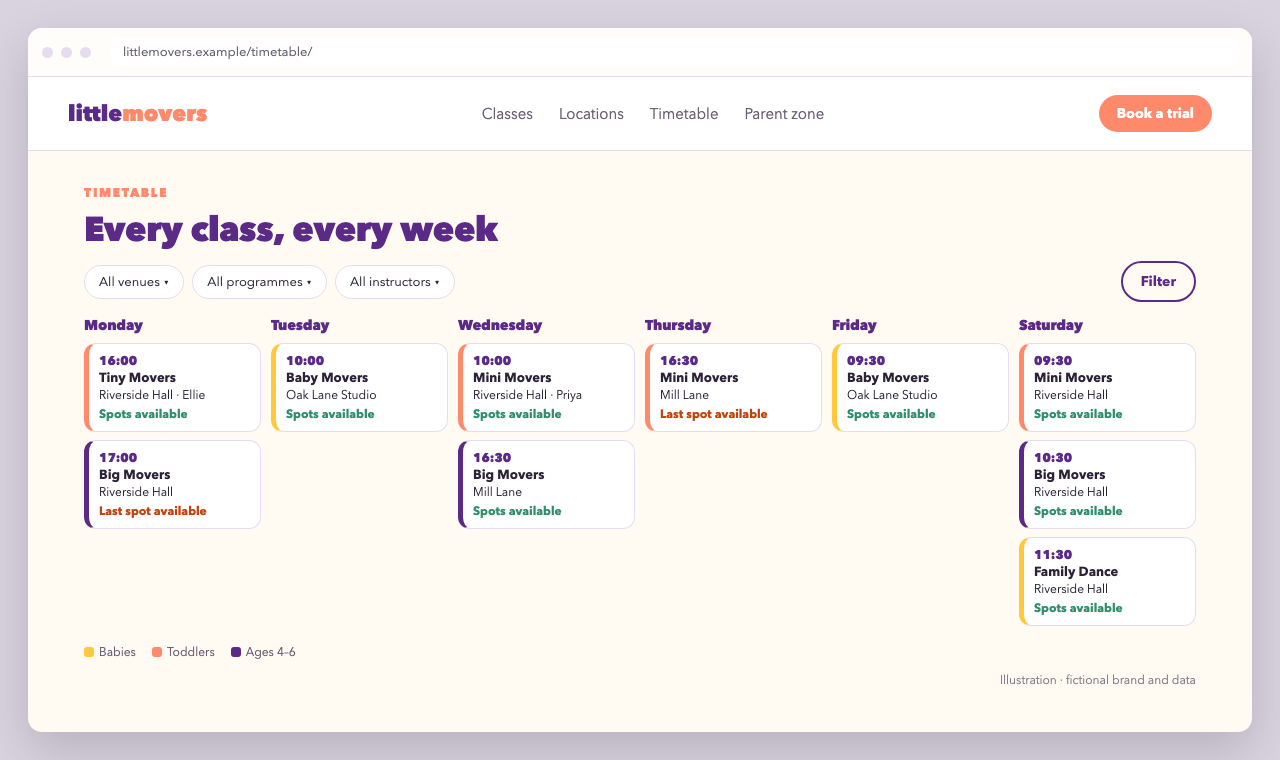
The default abstract week view shows every running and upcoming class in a Monday-to-Saturday grid, without specific dates. That's ideal for "our regular weekly timetable".
| Setting | Value |
|---|---|
| Customize sessions shown in calendar | System (default) |
| Availability | Text information: "Last spot available" |
| Show instructor | On |
| Show course filtering | On, filter by location, course and instructor |
| Show filter button | On, so the filters stay tucked away until needed |
| Use link to registration | On, so a tile opens the booking form |
Colour-code the tiles by age group by adding a class from the programme name in event_tile_render:
<script>
  window.ZOOZA = window.ZOOZA || {};
  window.ZOOZA.callback = window.ZOOZA.callback || {};

  window.ZOOZA.callback.event_tile_render = function ( data, html ) {
    // Tip: console.log( data ) once to see every field you can use
    var text = html.replace( /<[^>]+>/g, ' ' );
    var group = /Baby/.test( text ) ? 'babies' : /Tiny|Mini/.test( text ) ? 'toddlers' : 'kids';
    return '<div class="lm-tile lm-tile--' + group + '">' + html + '</div>';
  };
</script>
.lm-tile { border-left: 5px solid #ff8a6b; border-radius: 12px; }
.lm-tile--babies { border-left-color: #ffc83d; }
.lm-tile--kids   { border-left-color: #5b2a86; }
Variant B: classic month calendar
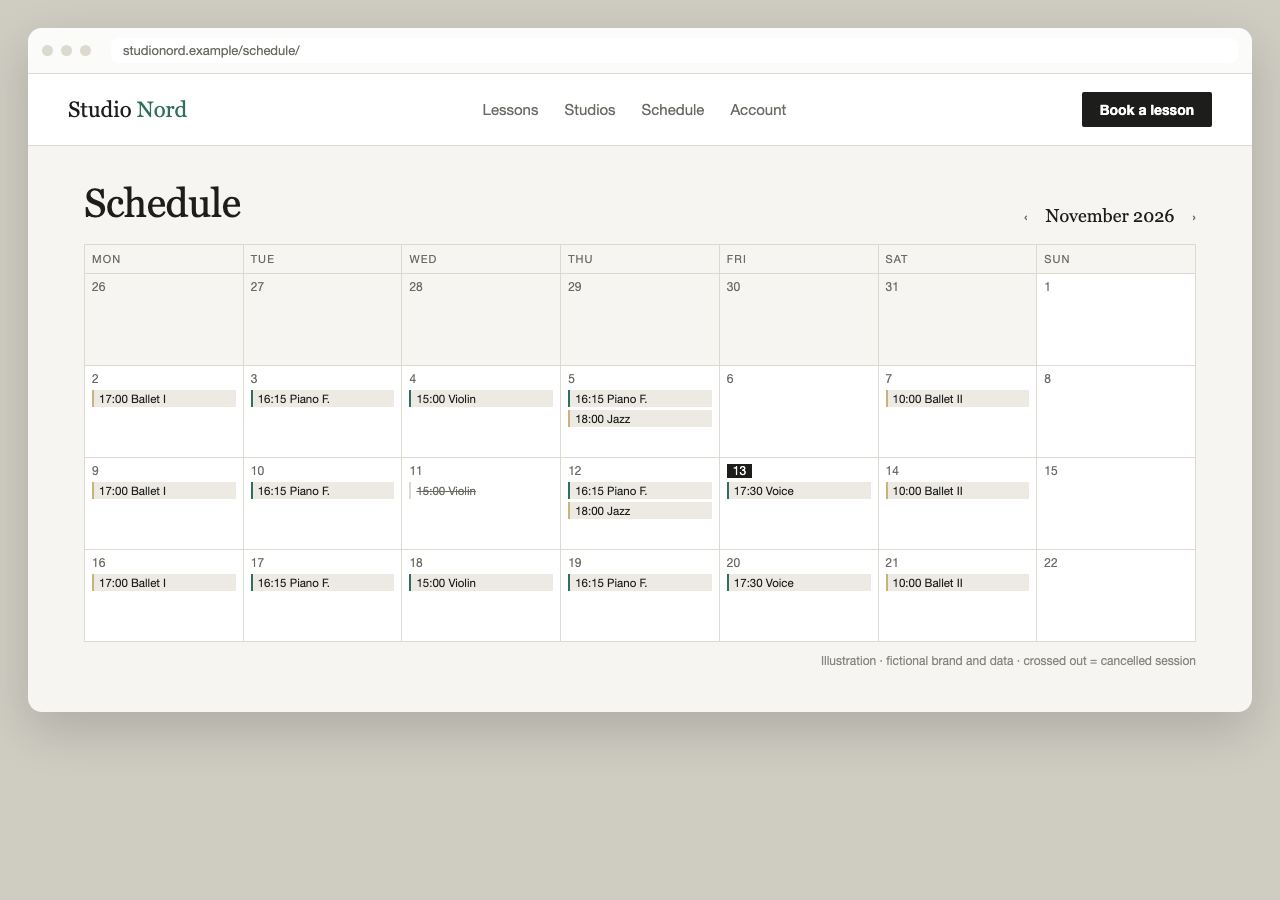
For one-off lessons, workshops and anything with specific dates, switch to the classic calendar view and show cancelled sessions, so parents see the gap instead of wondering.
| Setting | Value |
|---|---|
| Customize sessions shown in calendar | Custom selection → Session dates in current classes, Dates for future classes, Cancelled sessions, Classic calendar view |
| Availability | Do not show (private lessons) |
| Use link for more information | On, so a tile opens the programme page on your site |
Keep the styling quiet. Square corners, hairlines and one accent colour match an editorial site. Download the default stylesheet as described in Use CSS and override only colours, borders and fonts, scoped to your page:
.nord-schedule div.zooza {
  font-family: inherit;
  color: #1d1d1b;
}
/* Then copy the grid and tile selectors you need from the default stylesheet
   and override only their colours, borders and radius, e.g. hairline #dcd9cf
   borders, square corners and #2f6f5e for links. */
Variant C: one venue, with level badges
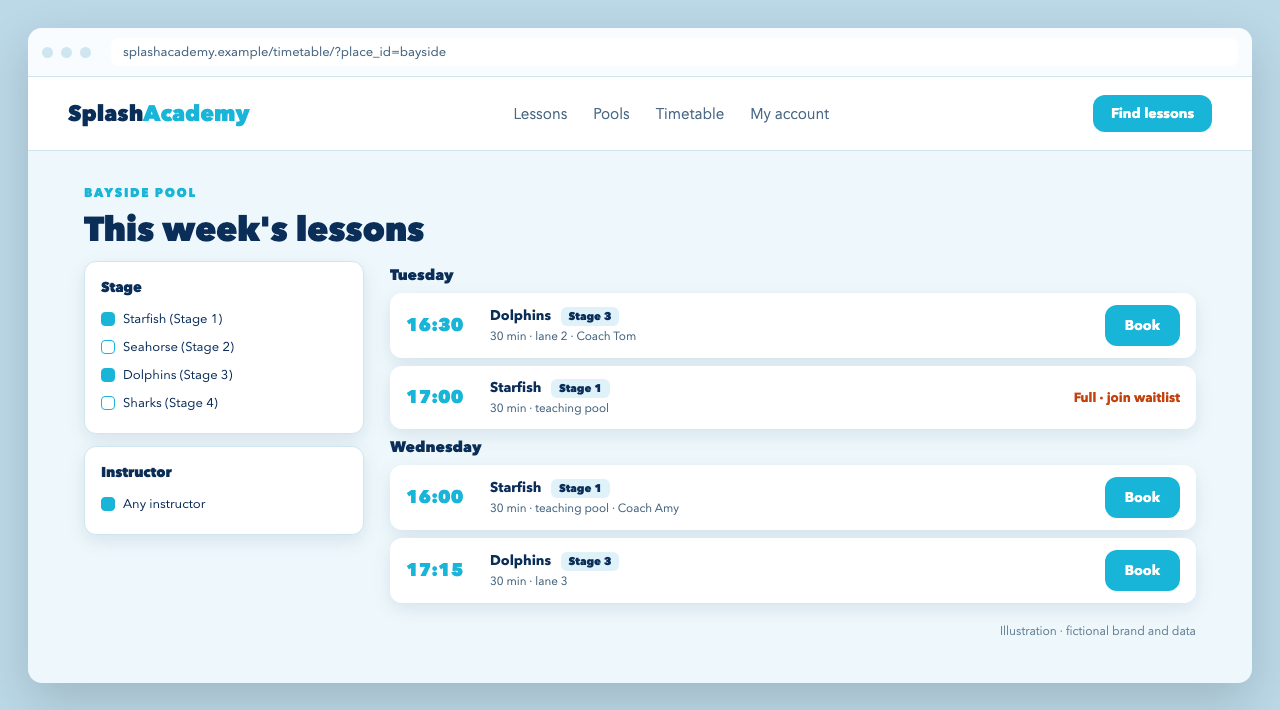
A swim school publishes one timetable per pool. Each pool page embeds the calendar limited to that venue with place_id, and adds a level badge to every tile:
<div data-zooza-widget="calendar" data-zooza-id="YOUR_API_KEY"
     data-zooza-place-id="BAYSIDE_PLACE_ID"></div>

<script>
  window.ZOOZA = window.ZOOZA || {};
  window.ZOOZA.callback = window.ZOOZA.callback || {};

  window.ZOOZA.callback.event_tile_render = function ( data, html ) {
    var stage = html.replace( /<[^>]+>/g, ' ' ).match( /Stage\s+\d/ );
    var badge = stage ? '<span class="splash-level">' + stage[ 0 ] + '</span>' : '';
    return badge + html;
  };
</script>
.splash-level {
  display: inline-block;
  margin-bottom: .25rem;
  padding: .1rem .5rem;
  border-radius: 6px;
  background: #dff2fa;
  color: #0b2e59;
  font-size: .75rem;
  font-weight: 800;
}
The illustration shows a compact day-by-day layout. The calendar widget renders its own week or month grid. For a list layout that you fully control, build it from the REST API as in Weekly timetable with filters, and keep the calendar widget for pages where the built-in grid is enough.
Tips
filter_coursesandcourse_idgive a programme page its own small timetable.- Hide information about current class skips the class summary when a tile opens the booking form, which shortens the path to booking.
- Import your own sessions to show events from another system in the same calendar.